Ragdoll Robot Boxing Controls & HUD Guide
Special, dodge/weave, and every combat bar explained for PC, phone, and controller.
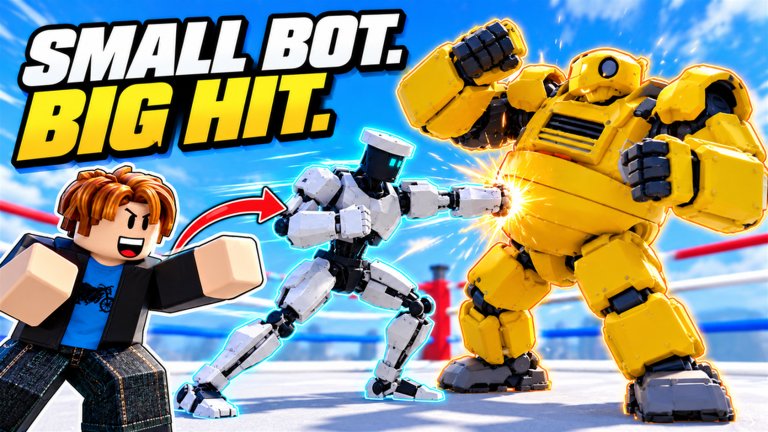
Winning in Ragdoll Robot Boxing starts with literacy, not rarity. This controls guide explains the inputs players search for most—especially Special = G on PC and mouse dodge/weave—plus the HUD stack: Head, Body, Stamina, Guard, Downs, and the Special panel. Boot Camp introduces the rest of the punch / movement basics; treat that tutorial as mandatory homework whenever a patch rearranges prompts.
Platforms: PC, phone, and controller all work on this free Roblox battleground. Exact soft-button positions can shift with screen size, so learn concepts, then confirm bindings in your client.
Core PC inputs
| Action | Typical PC note | Why it matters |
|---|---|---|
| Punch / attack cluster | Boot Camp demonstrates primary strikes | Creates dents on robot armor |
| Guard / block | Hold/toggle per Boot Camp | Stops free damage to Head/Body |
| Dodge / weave | Mouse movement patterns on PC | Avoids linear punches; sets counters |
| Special | G | Fires your equipped robot’s special toolkit |
| Camera | Standard Roblox camera | Critical in 10-ring, 20-player chaos |
If G does nothing, check: correct experience loaded, character not ragdolled mid-Down, Special meter/panel ready, and keyboard focus not stuck in chat.
Mobile and controller
Phone: On-screen attack, guard, and special buttons overlay the ring. Weave may map to swipe / movement joystick hybrids—practice in Easy bots until muscle memory forms. Landscape usually helps.
Controller: Use the highlighted Boot Camp prompts. Map mental notes so Special is never the face button you also use for confirm in menus. Lobby Codes navigation also needs the virtual cursor—see How to Redeem.
Whenever controls feel “broken,” finish or replay Boot Camp rather than downloading a macro. Macros collide with the Script Safety risks we warn about elsewhere.
HUD bar deep dive
Head
Represents cranial / upper damage state. Heavy head focus can close fights faster but often means eating counters if you ignore Body and Guard. Mix targets.
Body
Torso integrity. Body damage routes punish turtles who only cover high and teach you to vary punch height—physics boxing is not a single hitbox meme.
Stamina
Your gas tank for pressure. Empty stamina turns Dozer players into free targets and makes Harbor Gatling dreams fizzle. Weave and whiff punishment both cost resources—spend intentionally.
Guard
Your defensive buffer. Broken Guard is how patient Crusader and Kabuki pilots win. Do not hold Guard forever; weave and reset. Fighting Tips expands on guard break philosophy.
Downs
Tracks knockdown state / count context in the bout. Getting familiar with Downs prevents surprise finishes when you thought you were “still fine.” Pair with badges like Demolition Expert (knockdown volume) on the Badges page.
Special panel
Shows readiness / identity for the equipped robot’s specials—Boxer Rhythm, Scrapjaw Superman Punch, Veil Zero Field, and the rest catalogued on the Tier List Hub. Pressing Special (G) without reading this panel is how you waste once-per-window tools.
Training drills (15 minutes)
- Weave lane — Easy bot, only dodge for 60 seconds, no punches.
- Guard break lab — Medium bot, focus on opening Guard before specials.
- Special discipline — One special per round maximum for five rounds.
- HUD glance — After each exchange, name Head/Body/Stamina/Guard values out loud.
- Robot swap — Repeat drill 3 on a second garage slot so
Gtiming is kit-aware.
Log results. If Medium still feels unreadable, stay there before Hard / Champion on the Bot Ladder.
Combat hygiene habits
- Warm up in bots even when you “only have ten minutes.”
- Do not chat-bind fingers you need for Special.
- Keep camera slightly elevated so telegraph windups are visible.
- After a knockdown, re-check Stamina before diving.
- When learning a new Mythic/Champion pull, disable ego: return to Easy for ten rounds.
Linking controls to progression
Controls skill feeds badges (Heavy Hitter’s 1000 punches, Hot Streak, Flawless-style clean sheets) and makes Lucky Spin robots usable. Codes cannot press G for you—Codes Hub only funds the garage. Pair this page with Getting Started on day one and Best Robots when choosing who deserves your mechanically clean hands.
Video: HUD in motion
The gameplay embed shows HUD elements during real exchanges so you can pause and match bars to this article. Watch once with sound off while practicing Easy bots beside it.
Related pages
- Fighting Tips — applies these inputs under pressure
- Getting Started — session order
- Players Hub — taking HUD literacy into human rings
- Updates Hub — note if a patch rebinds prompts
Master the bars, then the robots. Physics does the spectacular part once your inputs are honest.
Frequently Asked Questions
Quick answers about codes, badges, bots, and fights.
What key is Special on PC?
Special is G on PC. Confirm the Special panel is ready and you are not mid-down before blaming the bind.
How do I dodge or weave on PC?
Use mouse-based dodge/weave patterns taught in Boot Camp. Practice on Easy bots until weaving is automatic.
What do Head and Body bars mean?
They track upper versus torso damage states. Mix your targets instead of only head hunting so Guard breaks stay unpredictable.
Why did my stamina vanish so fast?
Pressure, whiffs, and specials consume stamina. Pace flurries and reset with weaves instead of holding full offense.
Where can I see controls in a video?
This page embeds a gameplay HUD walkthrough. Pair it with Boot Camp and Easy bot drills.